Bot Gate: scrapers out, Google in
A geo and behaviour filter with a human check. It stops bulk automated scraping, real visitors pass with one click, and search engines and AI search do not even notice it. We run it on our own 17 sites; we set up the same for yours.
Before blocking, scrapers took on average 2,837 pages and about 37 MB a day from the blocked countries alone. In the last 14 days we refused 43,657 requests (check pages: 34,962); refused requests that looked like real visitors: 0. Human gate: 39,737 checks, 117 passed. Updated: 2026-11-05 — refreshed daily.
How it works
1. Country and network
At request time, in memory, we look up the country and network of the IP address (open, public-domain IP database, refreshed weekly). You set the block list; EU/EEA countries cannot be blocked (EU Regulation 2018/302).
2. Behaviour
From any country we catch clients that look automated: claims to be a browser but sends no language setting; headless or automated browser; outdated browser on an old protocol; script identity (curl, python…).
3. Human gate or block
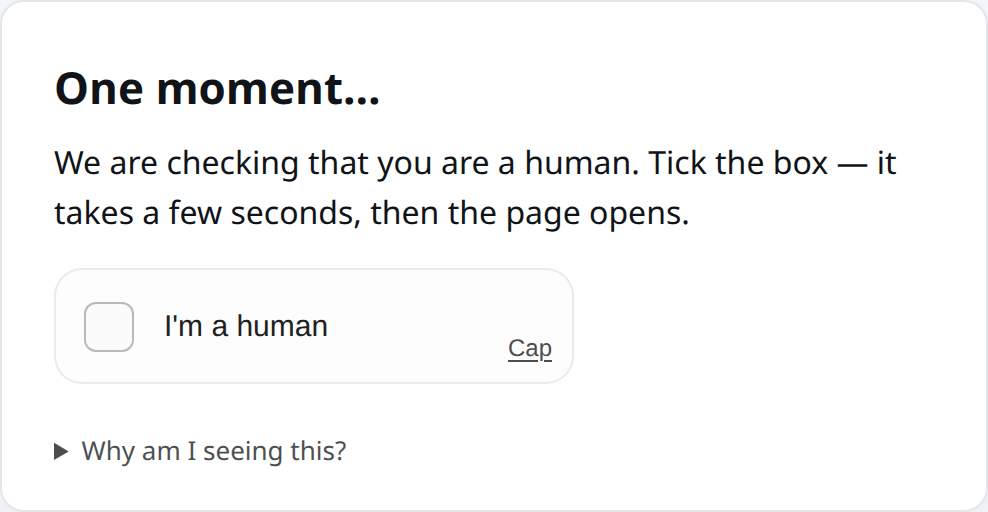
Per country: gate (a one-click check, ~2 seconds) or full block. The check is open source (Cap) and runs on our own server: a short computation in the browser plus browser signals. Data-centre networks are always blocked.
4. Rate limit afterwards too
After passing: a 24-hour security cookie, but at most a human-paced number of pages per hour. Even if a machine gets through, it cannot download in bulk.
On your own server: any PHP site (shared hosting or VPS) and nginx
You can run the country and network filter on your own server or web hosting. Tilezza only supplies the data: a signed IP list of the countries and networks you select, downloaded once a day. Decisions are made on your side and never call Tilezza while a visitor waits; no visitor data reaches us. Two editions: a PHP folder for any PHP site (shared hosting or VPS, under Apache, nginx + PHP-FPM or LiteSpeed), and an nginx agent for root servers without PHP.
Geo Filter: dashboard, stats, 30 days free →
PHP edition: upload
One “geoszuro” folder that you upload to your web root via FTP or your host’s file manager. No root or shell needed. The folder includes a Hungarian and an English guide (OLVASSEL.txt, README.txt).
One line to hook it in
On shared hosting, an auto_prepend_file line in .user.ini (or .htaccess with Apache + mod_php); on a VPS, in the nginx PHP block or the PHP-FPM pool; or, as a fallback, a require line at the top of index.php. The setup page and php geoszuro-proba.php bekotes print these lines with the real path on your server.
Setup in the browser
On geoszuro-beallito.php (HTTPS only): the first time, your Tilezza key and a new password; the key is verified with Tilezza. Then: countries grouped by continent with search (EU/EEA countries cannot be selected), cloud networks, mode, exempt IPs with an “add my address” button, status, “update now”, an IP test and daily statistics. Five wrong passwords lock the page for 15 minutes. When you are done, disable or delete the page; the filter keeps working without it. The page is in Hungarian.
Three modes
Log only: nobody is refused, it records who would be affected (for the first 1–2 weeks). Check page: the browser solves a small task in 1–3 seconds and gets a 24-hour cookie; people (also on a VPN) get through, bulk scrapers do not. The task is signed with your server’s own secret. Block: a short Hungarian–English page with 403.
Updates and failure handling
At most once a day, after the response has been sent, it downloads the lists of the selected countries (China is about 40 KB) and replaces them only after a valid ed25519 signature and checksum. If Tilezza is unreachable, the download is broken, the folder is not writable or PHP fails, visitors pass and the last good list stays. Lookups use a sorted list on disk, about 17 small reads per request.
Always let through
Search engines, AI search, link previews, uptime monitors, robots.txt, the sitemap and .well-known. The server’s own requests (e.g. cron) are never filtered. The suspicious-client rules (requests posing as a browser without a language header, headless browsers) are off by default.
Turning it off
Delete or comment out the hook line, or rename geoszuro.php. To update, copy the new files over the old ones; your settings file is not in the package, so it is kept.
nginx agent (servers without PHP)
For root servers where nginx serves static files or another application. A script installs the agent and a daily timer; it downloads and verifies the data daily, runs nginx -t and only then reloads. On any error the previous rule stays. It can log or block, but has no check page.
For a PHP site (shared hosting or VPS): geoszuro-php.zip
- Download the package and upload the “geoszuro” folder to your web root.
- Open https://your-site.com/geoszuro/geoszuro-beallito.php — enter your key and a password, tick the countries, keep “log only” mode.
- Copy the line shown under “Bekötés” on the setup page (.user.ini, .htaccess, nginx or PHP-FPM).
- After a week or two, switch to check page or block mode based on the statistics, and disable the setup page.
For an nginx server without PHP (as root, with your Tilezza key):
curl -fsSO https://tilezza.eu/geoszuro/telepit.sh
less telepit.sh
sudo bash telepit.sh <API-KEY>
# then inside each server { } block:
include /etc/geoszuro/szerver.conf;
# status, country of an IP:
geoszuro-agent allapot
geoszuro-agent orszag 1.2.3.4
Requirements — PHP edition: PHP 7.4–8.4, the sodium extension (built in since PHP 7.2), zlib, curl or allow_url_fopen, a writable folder, HTTPS for the setup page. nginx agent: nginx, OpenSSL 3, about 110 MB of memory for nginx. Both need a paid Tilezza key. There is no edition for Apache serving static files only (without PHP). The check page needs JavaScript in the visitor’s browser.
What never gets a gate
This matters most: search ranking (SEO), visibility in AI search (GEO) and link sharing keep working unchanged. Before go-live we tested 40 search, AI and preview robots × 116 pages (4,640 requests): every one got the same response as a regular visitor, none was gated.
- Search: Google (all of its crawlers), Bing, DuckDuckGo, Apple, Yandex, Seznam, Qwant, Mojeek
- AI search and assistants: ChatGPT/OpenAI, Claude, Perplexity, Mistral, Meta, Amazon, Common Crawl
- Link previews: Facebook, X, LinkedIn, Slack, Telegram, WhatsApp, Discord
- Monitors and SEO tools: UptimeRobot, Lighthouse, Ahrefs, Semrush
- For everyone: robots.txt, sitemap, llms.txt, images, API, embeds
What you see in the dashboard
- Refusals per day, hour, site and country
- Bandwidth saved per site
- “Could be human?” — possible false blocks flagged separately
- Edit blocked countries; per country gate ↔ full block
- The last 50 refusals (without IP addresses)
Privacy and law
We do not log IP addresses, only country and category. The gate cookie is for security, so no consent is needed. No third party receives data and no external script is loaded. EU/EEA visitors are never excluded by country. Legal basis: legitimate interest (GDPR Art. 6(1)(f)).
Honest about the limits
No check stops a determined robot that imitates a human perfectly. The goal is to make bulk scraping expensive and slow: the computation costs machine time, automated browsers are filtered, and the rate limit holds back any machine that gets through. Country filtering does not catch traffic via VPNs or residential proxies; behaviour filtering partly covers that.
Who is it for?
Content sites, web shops, database and price pages where scraping loads the server or copies the data. We set it up in front of your nginx server (rule generator + human gate + dashboard), or run it on our EU servers.
Price: individual quote based on traffic and setup — write to info@tilezza.eu.
Does it hurt Google rankings?
No. Search, AI search and preview robots never get a gate, and robots.txt, sitemap and llms.txt are always reachable. We verified this with 4,640 robot requests before go-live.
What happens to a real visitor from a blocked country?
In gate mode, one click and about 2 seconds, then 24 hours of free browsing. In full-block mode the content is not reachable — that is why it is selectable per country.
Is a cookie banner needed?
No: the gate cookie is strictly necessary for security and does not track.